
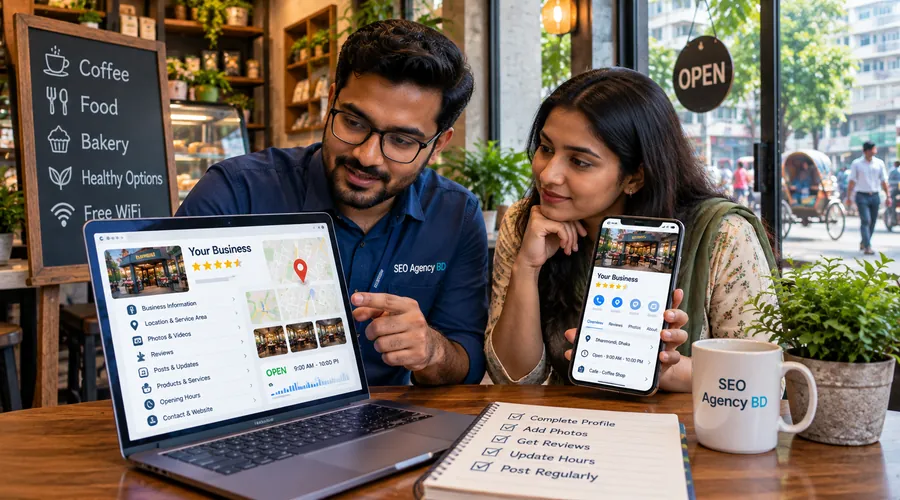
Local SEO · Google Business Profile Checklist
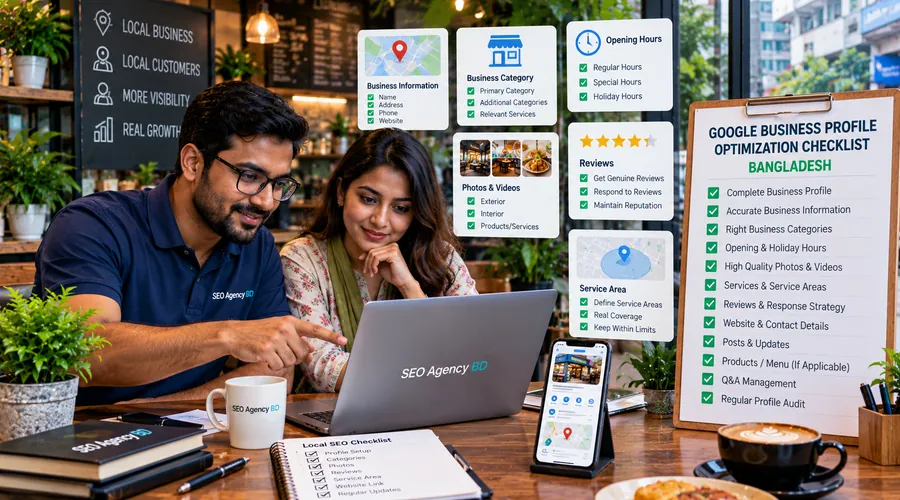
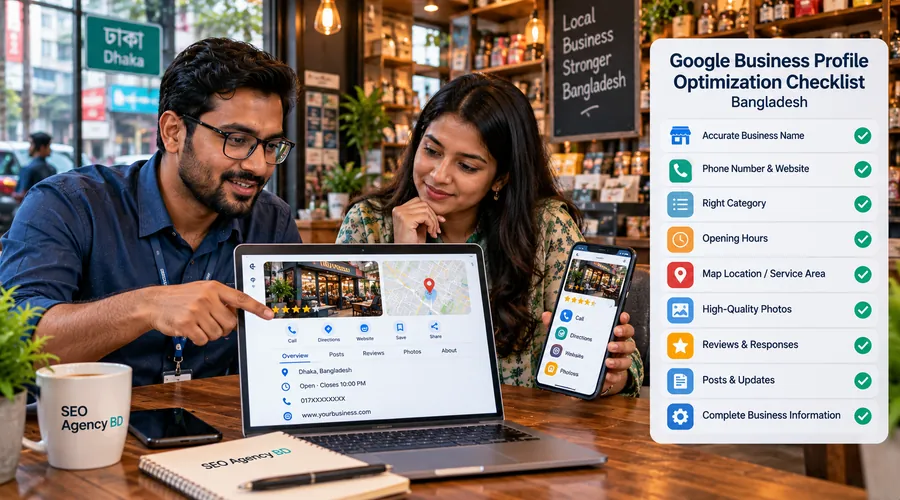
Google Business Profile Optimization Checklist Bangladesh
A Google Business Profile can look complete at first glance and still contain small errors that confuse customers or weaken local relevance: a keyword-stuffed business name, the wrong category, an outdated phone number, a public address that should be hidden, old opening hours, weak photos, incomplete services or a review process that violates Google policy. This Google Business Profile optimization checklist Bangladesh gives business owners a practical way to audit those details one by one.
Before you optimize: confirm the profile represents a real eligible business
Optimization should begin with eligibility and ownership, not keywords. A Business Profile should represent a real business that interacts with customers in the way the profile claims. Storefront businesses need a genuine customer-facing location. Service-area businesses can travel to customers, but they should not publish an address if customers are not served there.
Verify the profile using the method Google makes available for that business. Verification options can vary and may include video, phone, SMS, email or a live video method. Do not create duplicate profiles simply because verification is difficult; resolve ownership or verification first.
After verification, review the people who have owner or manager access. Keep access with current staff or trusted partners and remove former employees or agencies that no longer need control.
GBP checklist Bangladesh: the 16 core profile checks
| Check | Pass when | Common problem |
|---|---|---|
| 1. Verification | The profile is verified and controlled by the real business | Duplicate or abandoned profiles exist |
| 2. Business name | The name matches real-world signage and branding | City, service or “best” keywords are added to the name |
| 3. Primary category | The most specific category describes the core business | A broad or inaccurate category is selected |
| 4. Secondary categories | Only genuinely relevant additional categories are used | Categories are treated like keyword tags |
| 5. Address | A customer-facing address is accurate and the map location is correct | Virtual, borrowed or misleading addresses are used |
| 6. Service area | It reflects where the business genuinely travels or delivers | Areas are added as ranking keywords rather than real coverage |
| 7. Phone | The number reaches the business and is monitored | Old or unanswered numbers remain live |
| 8. Website | The URL reaches the most relevant official website page | Broken, redirected or unrelated campaign links are used |
| 9. Hours | Regular and special hours reflect real customer availability | Holiday or temporary schedules are outdated |
| 10. Description | It explains the business clearly without promotions or links | Keyword stuffing, sales offers or URLs appear in the description |
| 11. Services | Real services are listed with useful details where supported | Services are missing or unrelated terms are added |
| 12. Attributes | Relevant amenities, accessibility or service attributes are accurate | Attributes are ignored or guessed |
| 13. Photos | Current exterior, interior, team, product or service photos represent reality | Blurry, outdated or heavily altered images dominate |
| 14. Reviews | Requests are neutral and reviews reflect genuine experiences | Discounts, gifts or selective positive-review requests are used |
| 15. Action links | Booking, menu, ordering or appointment links work where applicable | Third-party or old links send customers to the wrong place |
| 16. Monitoring | Business edits, customer-facing data and access are reviewed regularly | The profile is optimized once and then abandoned |
1. Use the real business name—do not turn it into a keyword field
Google’s current guidance says the Business Profile name should reflect the real-world name used on the storefront, website, stationery and by customers. Location names, service phrases, phone numbers, slogans or promotional wording belong in other profile fields when appropriate, not in the business name.
If the real company is called “ABC Dental Care,” do not rename the profile to “ABC Dental Care Best Dentist Dhaka 24/7” unless that entire phrase is genuinely the business name used consistently in the real world. Unnecessary information in the name can create policy risk rather than sustainable visibility.
Checklist: compare the profile name with your permanent signage, website header, invoices and official branding. Correct the profile if the added words exist only for SEO.
2. Select the most specific primary category, then add only relevant secondary categories
Categories help Google understand what the business is. Google advises using as few categories as possible and choosing categories that are specific and representative of the core business. Categories should not be selected merely because a keyword has search demand.
Choose the primary category around the main business model. Add secondary categories only for genuine additional business types. Re-check categories after major service changes because available category options can evolve over time.
If you are evaluating Maps visibility rather than profile completeness, keep that separate commercial intent on Google Maps SEO.
3. Configure the address and service area around how customers are actually served
A storefront or hybrid business can show a real address when customers are received there. A pure service-area business that visits or delivers to customers but does not serve them at its address should remove the public address and use service areas instead.
Google currently lets eligible service-area businesses define up to 20 areas using cities, postal codes or other supported areas rather than a simple radius. The coverage should be accurate and realistic. Google says the overall service area generally should not extend more than about two hours of driving time from the business base.
Do not open a separate profile for every neighborhood covered by one service-area business. Google says service-area businesses can have one profile for the area they serve. Genuine separately staffed business locations are a different situation and must satisfy Google’s location rules.
4. Keep phone, website and opening hours aligned with the real customer experience
A profile that ranks but sends people to an unanswered number or a closed location is not optimized. Confirm that the phone number reaches the business, the website opens correctly on mobile, and the opening hours match when customers can actually receive service.
Use special hours for holidays, temporary schedule changes or special events. Businesses with different service-specific schedules may also have access to additional hours depending on category. Review hours before major public holidays or seasonal changes rather than correcting them after customers complain.
Where the business has a dedicated branch or location page, link the profile to the page that best represents that location instead of sending every profile to an unrelated campaign URL.
5. Write the business description for customers, not for keyword density
The description should explain what the business does, the services or products offered, and useful background such as mission or history. Google’s current policy says the description should be relevant and useful and should not focus on promotions, prices or sales offers. Links are not allowed in the description.
Use natural Bangladesh context where relevant, but do not force a list of cities and neighborhoods into the description. Service areas have their own field, and important local pages can provide deeper geographic context on the website.
A concise, accurate description is stronger than a paragraph filled with phrases such as “best,” “number one,” “top rated” or repeated service keywords that the business cannot substantiate.
6. Add genuine services and attributes where Google supports them
Google lets many businesses add services, and service entries can include details such as a description or price. Use this section to reflect what customers can actually buy or book rather than turning the service list into keyword variations.
Attributes can communicate practical information such as amenities, accessibility, payment options or other characteristics depending on business category. Some attributes are editable by the business while others can be informed by user input.
Because fields differ by category and region, audit what is actually available on the live profile instead of copying another business’s checklist blindly.
7. Upload sharp, current photos that make the business easier to recognize
Google recommends Business Profile photos that are in focus, well lit and not significantly altered or excessively filtered. Exterior photos can help customers recognize a physical location, while interior, team, product and service photos can help people understand what to expect.
Replace photos that no longer reflect the business after a renovation, relocation, rebrand or major service change. Do not use fake storefront images or AI-created “proof” to represent a physical location that does not exist.
Remember that customers can also upload images. Review the profile periodically for irrelevant or policy-violating media and use Google’s reporting process when necessary.
8. Build a review workflow that stays inside Google policy
Google allows businesses to ask genuine customers for reviews and provides a review link or QR code. A review link can be placed in a thank-you email, receipt, chat follow-up or other appropriate customer touchpoint.
Do not offer money, discounts, free products or services in exchange for a review. Do not ask only satisfied customers while discouraging unhappy customers, and do not require staff to obtain reviews containing specific keywords or employee names. Google classifies these tactics as fake engagement or rating manipulation.
Reply to reviews where useful. A professional response shows that feedback is monitored and can clarify a customer concern without exposing private information.
For a dedicated operational review system, use Online Review Management.
9. Audit action links, posts and customer paths—not just profile fields
Depending on category and feature availability, a Business Profile may support links for menus, services, booking, reservations, appointments, food orders or shopping actions. Test every visible link on mobile and remove obsolete providers or URLs.
Google also supports Business Profile posts for updates, events and offers in eligible contexts. Posts can help communicate current information, but they should not replace the website or core profile fields. If a temporary closure, new location or service change affects customers, update the underlying business information as well.
Use clear first-party landing pages where possible so customers arrive on a page that matches the action they clicked. For citation and directory consistency beyond Google, use Local Citation Building.
10. Make the website support the profile with matching real-world information
Your website should confirm the same core facts that appear on the profile: real business name, phone, address where applicable, opening hours, services and branch information. This is not about copying the Business Profile word for word; it is about avoiding contradictions.
For a physical local business, appropriate LocalBusiness structured data can help Google understand business details such as address and hours when the markup accurately reflects visible page content. Use the most specific supported business subtype where appropriate.
The blog post itself should remain Article/BlogPosting content in Rank Math. Do not add business schema to this article merely because the topic is Google Business Profile. Put business/location schema on the relevant business pages.
11. Run a recurring Google listing optimization checklist
Business information changes: staff leave, phones change, hours shift, services are added, links break and customer edits can affect a profile. Optimization therefore needs a maintenance routine.
| Frequency | What to review | Action |
|---|---|---|
| Weekly | New reviews, customer questions, major profile edits and broken actions | Respond, correct or escalate where needed |
| Monthly | Hours, services, attributes, photos, posts and visible links | Refresh outdated information |
| Quarterly | Categories, service areas, website landing page, access and duplicate profiles | Run a full policy and accuracy audit |
| Before holidays / changes | Special hours, temporary closure, relocation, phone or service changes | Update before customers are affected |
12. Measure customer actions instead of promising a fixed Maps position
Google says local results are mainly based on relevance, distance and prominence. Distance changes with the searcher’s location, so no legitimate profile checklist can guarantee a fixed position across an entire city.
Track the profile alongside business outcomes. Depending on the business and available reporting, useful signals can include calls, directions, website visits, bookings, orders, messages or other customer actions. Combine those signals with Search Console data and landing-page conversions.
If visibility is weak, diagnose the likely cause instead of making random edits. Wrong categories, weak relevance, inaccurate location data, low local prominence, poor website support and an incomplete review footprint require different solutions.
Broader commercial local-search work belongs to Local SEO services; dedicated Maps/local-pack work belongs to Google Maps SEO.
Frequently asked questions
How often should I update my Google Business Profile?
Update it whenever business information changes. Reviews and customer-facing edits can be checked weekly, while categories, service areas, services, links and access can be reviewed more deeply every quarter.
Should I add keywords to my Google Business Profile name?
No, unless those words are genuinely part of the real-world business name used consistently by the business. Google says unnecessary information in the name is not permitted.
How many service areas can a Business Profile have?
Google currently allows up to 20 service areas for eligible service-area and hybrid businesses. They should represent real coverage and be defined using supported geographic areas rather than being added only for keywords.
Can I give customers a discount for leaving a Google review?
No. Google prohibits incentives such as discounts, payments, free goods or services in exchange for reviews, review changes or removal of negative reviews.
Should a service-area business show its home address?
Not when customers are not served at that address. Google says service-area businesses that do not serve customers at the business address should remove the address and use service areas instead.
Does completing every profile field guarantee higher rankings?
No. Profile completeness and accuracy help customers and Google understand the business, but Google says local results also depend on relevance, distance and prominence. No legitimate optimization process can guarantee a fixed local position.
Research and policy references
- Google Business Profile Help — Guidelines for representing your business
- Google Business Profile Help — Manage service areas
- Google Business Profile Help — Edit business hours
- Google Business Profile Help — Manage photos and videos
- Google Business Profile Help — Review links and QR codes
- Google Maps policy — prohibited and restricted review content
- Google Business Profile Help — Local business links
- Google Search Central — LocalBusiness structured data
Need someone to implement the checklist for your business?
This article owns the educational checklist. For done-for-you setup, cleanup and ongoing profile optimization, use SEO Agency BD’s dedicated Google Business Profile service page.